About Bellbird
Enjoy Online Lessons with Bellbird!
Bellbird is a free online video calling system.
No account is required, so you can easily enjoy high-quality video calls and screen sharing. Since Bellbird runs in your browser, there is no need to install complicated software.
Please follow the steps below to use it.
How to Use
Check Your Video and Microphone on First Entry
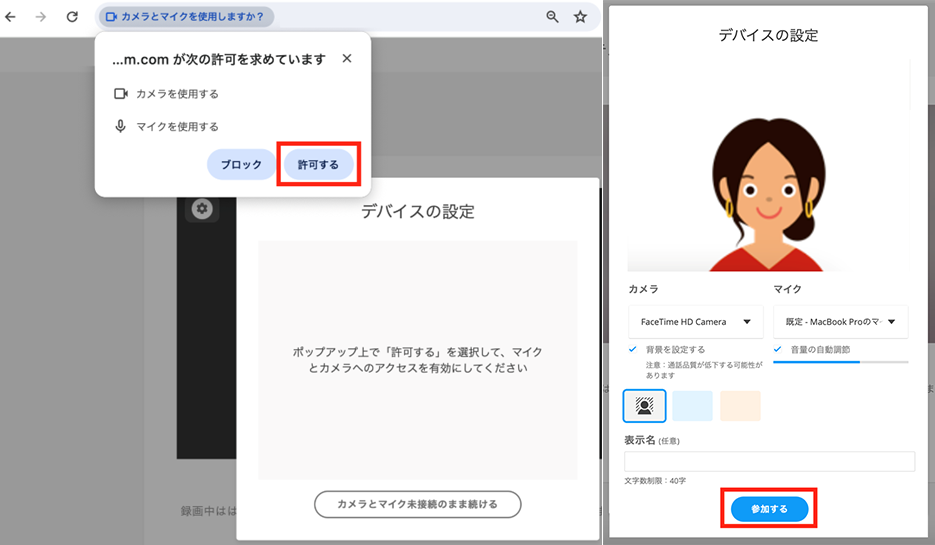
When you open the Bellbird URL, the camera and microphone settings screen will appear only the first time.
(This step is not required from the second time onward.)
On the "Device Settings" screen, confirm that "you can see yourself" and that "the audio level indicator is moving," then click "Join."
Enjoy Your Lesson!
Once your camera and microphone are set up, your lesson begins!
Bellbird offers many useful features for online lessons, such as screen sharing and chat.
We hope you enjoy a fulfilling lesson experience.